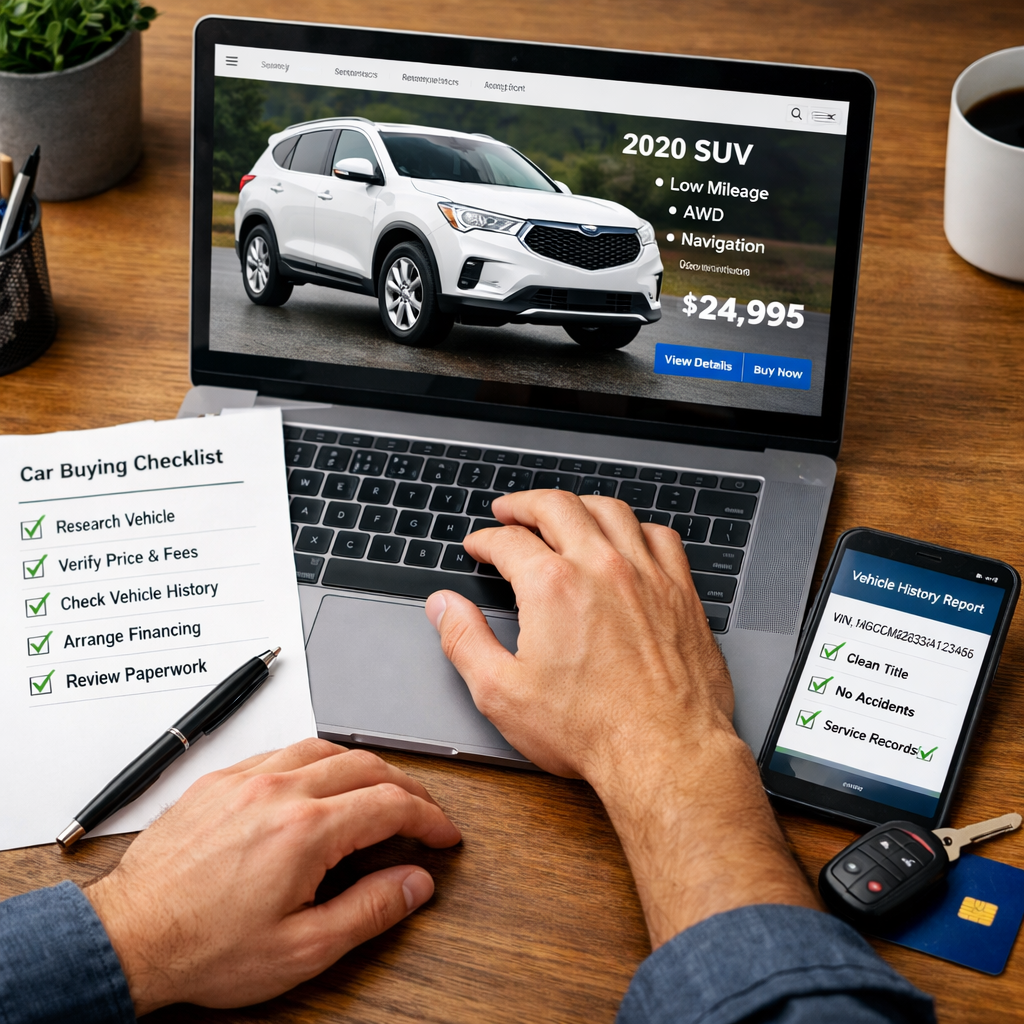
Buy A Car Entirely Online With Confidence: Checklist And Essentials
Buying a car entirely online with delivery is now realistic for many shoppers. You can browse verified listings, secure financing, e-sign documents, and schedule remote car delivery without setting foot in a showroom. A smart workflow pairs trusted online car buying platforms with safeguards like VIN checks, independent inspections, and written out-the-door quotes. Below is a practical, safety-first path from search to drop-off—plus the battery health steps Car Battery Expert recommends right after delivery—so you avoid surprises and keep total cost of ownership on target.
How online car buying works from search to delivery
Most platforms now support a full digital path: verified listings, prequalification or auto loan pre-approval, secure uploads, e-signatures, and delivery scheduling. Many also include trade-in estimators and calculators to reduce friction, as documented by mobile purchase tools that streamline e-sign and handoff workflows (see this overview of remote car-buying apps and features from InfoRide). An e-signature is a legally binding digital signature that lets you sign contracts online using identity verification and cryptographic methods, reducing paperwork and accelerating approvals.
A simple end-to-end flow:
- Search verified listings → 2) Get pre-approval → 3) Pull VIN history → 4) Virtual review or PPI → 5) Request written out-the-door (OTD) quote → 6) E-sign paperwork → 7) Delivery and inspection.
Reality check: Cox Automotive data shows that while 28% of shoppers aim to buy fully online, only about 7% complete the entire process digitally—some still finalize steps in person, so set expectations accordingly (as reported by Wired’s analysis of online car buying trends).
Step 1: Set budget and secure pre-approval
Lock in your budget before you shop. Get auto loan pre-approval from a bank or credit union to pin down your APR, loan term, and maximum amount; this keeps you from drifting into unaffordable trims and add-ons and makes you a stronger, faster buyer when you find the right car (see this planning checklist’s financing guidance from NEA Member Benefits). Plan your down payment and funding mechanics in advance—credit cards often cap purchase amounts and limit down payments. Keep total cost of ownership in view so the monthly payment doesn’t hide long-term expenses.
Step 2: Shortlist models and total cost of ownership
Compare models based on what they’ll cost you over years, not just the monthly payment. Total Cost of Ownership (TCO) is the full cost to own a vehicle over time, combining purchase price with depreciation, insurance, taxes, fuel, maintenance, and repairs. Use a TCO tool (NEA MB highlights these planning calculators) and FuelEconomy.gov to compare fuel economy, including hybrid vs. gas tradeoffs.
Example TCO snapshot (illustrative; verify for your ZIP and usage):
| Model (2021) | Combined MPG | Est. annual insurance | Notable maintenance intervals |
|---|---|---|---|
| Toyota Camry Hybrid LE | 46 | ~$1,500 | Engine air cabin filters ~15k–30k; coolant/brake fluid ~3 yrs; spark plugs ~120k |
| Honda Accord 1.5T | 33 | ~$1,650 | Oil/filter ~7.5k–10k; CVT/AT service as specified; spark plugs ~105k |
| Subaru Outback 2.5 | 29 | ~$1,400 | Oil/filter ~6k; CVT fluid per schedule; differential fluids ~30k–60k |
Your premiums, fuel spend, and maintenance cadence vary by state, mileage, and insurer. Use these factors to compare models online and avoid budget creep.
Step 3: Verify market value and target price
Set your target price before contacting sellers. Cross-check Fair Market Value (FMV) with sources like Kelley Blue Book and Edmunds so you have an offer range tailored to trim, mileage, condition, options, and location; tools that centralize KBB/Edmunds and other price data can speed this step (see these recommended online pricing tools from Carzing). Do local price comparisons to spot outliers and judge negotiability. FMV is the typical price a car sells for in the current market, and it’s your benchmark for a reasonable, market-based offer.
Step 4: Pull VIN history and title status
Require a complete vehicle history report (CARFAX/AutoCheck) to screen for accidents, title brands, ownership count, and odometer inconsistencies; a missing report is a red flag (as emphasized in this step-by-step safety guide from Auto Fanatics USA). Verify the title is clean—not salvage, rebuilt, or lemon—and run the VIN on NHTSA.gov for open recalls. CarEdge’s buying checklist also stresses catching title issues and recalls early to avoid costly surprises.
Quick VIN check:
- Accidents: number, severity, airbag deployment
- Title brand: clean vs. salvage/rebuilt/lemon
- Mileage: consistent with service records (no rollback)
- Recalls: any open/unfixed safety items
Step 5: Confirm condition with virtual review or PPI
Request high-resolution photos, a full video walk-around, and a live or recorded drive to hear/see operation. Watch for dash warning lights, misaligned panels, uneven tire wear, and odd noises. For used cars, protect yourself with an independent pre-purchase inspection (PPI) by a trusted mechanic before final payment.
Photo and video evidence checklist
- Exterior: all panels in daylight; close-ups of bumpers, glass, and wheels/tires (show tread depth); undercarriage for rust.
- Interior: dashboard with ignition on (all warning lights visible), seats, infotainment, HVAC, sunroof and headliner (check for leaks).
- Mechanical: cold-start video with instrument cluster; engine bay at idle and light revs; exhaust; braking from ~30 mph to a stop to verify straight, controlled braking.
- Request file types (e.g., 1080p MP4 video, high-res JPEGs), consistent angles, the VIN plate, and tire DOT date codes.
Independent pre-purchase inspection options
A Pre-Purchase Inspection (PPI) is a third-party mechanical and cosmetic assessment done before buying to uncover hidden defects, safety issues, or upcoming maintenance costs. Book an ASE-certified local shop or mobile inspection service near the seller. Require a written report with photos, an OBD-II scan, brake and suspension checks, leak detection, alignment/tire measurements, and a battery/charging test. If you need a quick refresher on battery checks, Car Battery Expert’s step-by-step guides can help you interpret results confidently. If major issues surface, renegotiate or walk away—prioritize safety-critical findings first.
Step 6: Get a written out-the-door quote
Ask for a line-item out-the-door price that includes taxes, documentation, registration, delivery or shipping, and any add-ons. Non-itemized totals are a warning sign. Review warranty terms carefully and decide on extended coverage only after comparing coverage vs. cost; transparent breakdowns significantly reduce surprise fees and frustration (see Flow Auto’s guide to pricing clarity and add-ons).
Step 7: Finalize payment, e-sign documents, and schedule delivery
Complete payment and paperwork through a secure, encrypted portal; e-signatures and built-in delivery scheduling help close fully remote deals efficiently (see this roundup of mobile purchase workflows from InfoRide). Keep digital copies of all records.
Documentation checklist:
- Purchase agreement and the written OTD quote
- Title and transfer forms
- Financing agreement with APR and term
- Proof of insurance
- Delivery receipt and appointment confirmation
At drop-off, require a delivery inspection form and photos of the vehicle’s condition.
Trade-ins and remote appraisal best practices
Get multiple online trade-in valuations (e.g., KBB-style ranges offered by several marketplaces) to establish a realistic anchor; Credit Karma’s roundup of best car-buying sites highlights platforms that streamline valuations and offers. Provide VIN, photos/video, options, mileage, tire condition, and note any mods. If you have a lien, share payoff details. Lock the agreed trade-in value into the OTD breakdown before delivery.
Red flags to avoid and safe-buy controls
- Red flags: missing VIN or history report, “too good to be true” pricing, refusal to provide a written OTD quote, and no return/exchange policy—walk away if you see these (summarized in this safe-buy guide from Auto Fanatics USA).
- Prefer platforms offering VIN-level verified inventory, encrypted financing, and documented delivery/tracking to reduce fraud and misrepresentation (see InfoRide’s overview of remote-ready features).
- Use secure payment sequencing: pre-approval → e-signed purchase agreement → escrow or cashier’s check for private-party deals → release funds only when documents and delivery terms are confirmed. This adds buyer protection to your transaction.
Essentials checklist you can copy and use
- Budget and pre-approval secured (APR, term, max amount)
- Compare models online with TCO, fuel economy, and insurance costs
- Verify market value (FMV) with price comparison and negotiability ranges
- Pull vehicle history report; confirm clean title; check NHTSA recalls
- Virtual media review or independent PPI completed
- Written, line-item out-the-door price with fees and delivery
- Secure payment via encrypted portal; e-sign all documents
- Delivery receipt with photos; keep digital copies of everything
- Post-delivery inspection during the return window
Quick reminders: bring a valid license and insurance proof; confirm eligible incentives (e.g., low APR or rebates) before you sign. For a printable one-pager, create a simple checklist with boxes for each step and a notes column for deadlines, VIN, and contact names.
Post-delivery inspection and return window steps
On arrival day, confirm the VIN matches paperwork, scan for warning lights, test brakes and steering, check for shipping damage, and measure tire/brake wear. Document everything with photos/video. Many platforms specify return or exchange windows; ensure you have those terms in writing before you buy, then act quickly if issues arise. For used cars, schedule a local mechanic check within the return period so any claim is filed before the window closes. Include a basic 12V battery health check here as well—Car Battery Expert’s quick guides can help you document state of charge and plan next steps.
Car Battery Expert’s ownership tip: evaluate battery health on arrival
Shipping delays, lot time, and short trips can leave the 12V battery undercharged—leading to fickle electronics, no-starts, or disabled start-stop systems. A quick battery check now prevents headaches later. If you’d like tools to make this easy, see our guides to the best car battery testers, the best multimeters for car batteries, and the best car battery monitors.
Check age, chemistry, and specs
- Check the date code; for used deliveries, if the battery is 24–36 months old, plan a capacity test and replacement window.
- Match chemistry and specs to your vehicle: start-stop systems usually require AGM or EFB, while many non–start-stop cars use flooded lead-acid. Confirm group size, that cold-cranking amps (CCA) meet or exceed OEM spec, and that reserve capacity (RC) suits your climate and accessory load.
- Record battery make/model, group size, CCA, and RC in your ownership file for warranty and future service.
- Safety basics: wear eye protection and gloves, avoid sparks, and disconnect negative first when removing a battery (reconnect last).
Quick tests and preventive charging
- After the car rests 4–6 hours, measure open-circuit voltage with a multimeter: around 12.6–12.8V indicates a full charge; near 12.2V suggests charging is needed.
- If low, top off with a smart charger using the correct profile for AGM, EFB, or flooded. If the car will sit, use a battery tender to maintain state of charge. In cold climates, available CCA drops—proactively maintain charge and consider a cold-weather-rated battery if replacement is due.
- Perform periodic load tests and inspect/clean terminals to prevent sulfation and voltage drop. For cold-weather considerations, our picks for the best cold weather car batteries can help.
Frequently asked questions
Where can I purchase a car entirely online?
You can purchase a car entirely online through platforms that offer verified listings, encrypted financing, e-signatures, and scheduled delivery; look for VIN-level details, transparent OTD pricing, and clear return policies for a fully remote purchase. After delivery, use Car Battery Expert’s simple battery checks to confirm 12V health.
How do I safely pay for a car online without getting scammed?
Use encrypted portals tied to a written purchase agreement, or escrow/cashier’s check for private-party sales; avoid wires to individuals and don’t release funds until e-signed documents and delivery terms are confirmed.
Can I buy a used car online without a test drive?
Yes—request high-res photos, full video walk-arounds, and a live or recorded drive, then order an independent PPI; if red flags appear, renegotiate or walk away, ideally using a platform with a return window. Car Battery Expert’s battery checklists help you verify 12V health remotely.
What paperwork can be completed digitally and what do I need for registration?
Most agreements can be e-signed, including purchase, financing, and disclosures; you’ll still need valid ID, proof of insurance, and title/registration forms, which many dealers can process for taxes and tags—confirm your state’s DMV requirements. Car Battery Expert also recommends recording battery specs (group size, CCA) in your ownership file for future service.
How do I handle a trade-in entirely online?
Get multiple online valuations, submit VIN, photos, and condition details, and secure a written trade-in offer baked into your OTD price; confirm payoff amounts if you have a lien and schedule pick-up or exchange at delivery.